1.8 sec in total
189 ms
1.4 sec
258 ms
Visit androidpdf.mobi now to see the best up-to-date Android PDF content and also check out these interesting facts you probably never knew about androidpdf.mobi
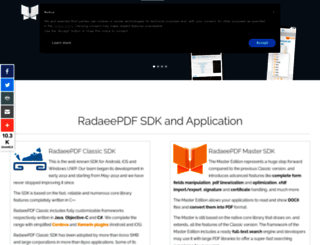
Get your RadaeePDF SDK here, use the activation key to distribute your App royalties free. RadaeePDF SDK for Mobiles (formerly PDFViewer SDK) shall help you building better mobile applications. It's a...
Visit androidpdf.mobiWe analyzed Androidpdf.mobi page load time and found that the first response time was 189 ms and then it took 1.6 sec to load all DOM resources and completely render a web page. This is quite a good result, as only 35% of websites can load faster.
androidpdf.mobi performance score
name
value
score
weighting
Value4.0 s
23/100
10%
Value6.2 s
11/100
25%
Value7.0 s
33/100
10%
Value800 ms
36/100
30%
Value0
100/100
15%
Value12.7 s
14/100
10%
189 ms
136 ms
298 ms
102 ms
85 ms
Our browser made a total of 91 requests to load all elements on the main page. We found that 2% of them (2 requests) were addressed to the original Androidpdf.mobi, 69% (63 requests) were made to Radaeepdf.com and 7% (6 requests) were made to Fonts.gstatic.com. The less responsive or slowest element that took the longest time to load (381 ms) relates to the external source Radaeepdf.com.
Page size can be reduced by 157.4 kB (18%)
863.0 kB
705.6 kB
In fact, the total size of Androidpdf.mobi main page is 863.0 kB. This result falls beyond the top 1M of websites and identifies a large and not optimized web page that may take ages to load. 60% of websites need less resources to load. Images take 520.9 kB which makes up the majority of the site volume.
Potential reduce by 49.4 kB
HTML content can be minified and compressed by a website’s server. The most efficient way is to compress content using GZIP which reduces data amount travelling through the network between server and browser. HTML code on this page is well minified. It is highly recommended that content of this web page should be compressed using GZIP, as it can save up to 49.4 kB or 79% of the original size.
Potential reduce by 59.2 kB
Image size optimization can help to speed up a website loading time. The chart above shows the difference between the size before and after optimization. Obviously, Android PDF needs image optimization as it can save up to 59.2 kB or 11% of the original volume. The most popular and efficient tools for JPEG and PNG image optimization are Jpegoptim and PNG Crush.
Potential reduce by 46.6 kB
It’s better to minify JavaScript in order to improve website performance. The diagram shows the current total size of all JavaScript files against the prospective JavaScript size after its minification and compression. It is highly recommended that all JavaScript files should be compressed and minified as it can save up to 46.6 kB or 24% of the original size.
Potential reduce by 2.1 kB
CSS files minification is very important to reduce a web page rendering time. The faster CSS files can load, the earlier a page can be rendered. Androidpdf.mobi has all CSS files already compressed.
Number of requests can be reduced by 45 (56%)
80
35
The browser has sent 80 CSS, Javascripts, AJAX and image requests in order to completely render the main page of Android PDF. We recommend that multiple CSS and JavaScript files should be merged into one by each type, as it can help reduce assets requests from 30 to 1 for JavaScripts and from 9 to 1 for CSS and as a result speed up the page load time.
androidpdf.mobi
189 ms
androidpdf.mobi
136 ms
www.radaeepdf.com
298 ms
iubenda_cs.js
102 ms
gtm.js
85 ms
css-1a181-08581.css
39 ms
css-987a8-76206.css
78 ms
css-dcdef-26200.css
105 ms
css-609d5-46831.css
144 ms
css
74 ms
css-e33dd-08581.css
107 ms
jquery.min.js
141 ms
jquery-noconflict.js
112 ms
jquery-migrate.min.js
110 ms
caption.js
134 ms
jfbconnect.js
136 ms
bootstrap.js
152 ms
jquery.tap.min.js
141 ms
script.js
163 ms
menu.js
165 ms
jquery.infinitescroll.min.js
169 ms
jquery.isotope.min.js
171 ms
jquery.inview.min.js
170 ms
script.js
173 ms
nav-collapse.js
192 ms
mootools-core.js
276 ms
core.js
197 ms
script.js
200 ms
api.js
91 ms
js
102 ms
js
96 ms
addthis_widget.js
109 ms
fastspring-builder.min.js
54 ms
system.css
100 ms
font-awesome-base.css
64 ms
icomoon-to-fw.css
83 ms
analytics.js
183 ms
atrk.js
56 ms
spin.svg
55 ms
loader.js
238 ms
qevents.js
198 ms
radaee_master_website.png
85 ms
sl0-bg_1920_480.jpg
84 ms
sl0-first.png
84 ms
sl0-second.png
177 ms
sl1-bg_1920_480.jpg
218 ms
sl1-first.png
84 ms
sl1-second.png
177 ms
sl3-bg_1920_480.jpg
195 ms
sl3-first.png
177 ms
sl3-second.png
177 ms
slB-bg_1920_480.jpg
287 ms
slB-first.png
218 ms
slB-second.png
286 ms
sl0-bg_10_10.jpg
217 ms
sl1-bg_10_10.jpg
263 ms
sl3-bg_10_10.jpg
285 ms
slB-bg_10_10.jpg
285 ms
radaee_classic_225x200.png
285 ms
radaee_master_225x200.png
308 ms
radaee_cli_225x200.png
338 ms
radaee_app_225x200.png
338 ms
google__play.png
339 ms
apple__appstore.png
339 ms
pdf.png
338 ms
speed.png
337 ms
annotation.png
349 ms
lock.png
345 ms
text.png
349 ms
form.png
349 ms
wki.png
347 ms
evernote.png
348 ms
twp.png
375 ms
le_monde.png
378 ms
kerakoll_logo.png
381 ms
sdk.js
164 ms
ja-ss-thumb.png
334 ms
1Ptxg8zYS_SKggPN4iEgvnHyvveLxVvaorCIPrc.woff
136 ms
1Ptxg8zYS_SKggPN4iEgvnHyvveLxVvoorCIPrc.woff
174 ms
1Ptxg8zYS_SKggPN4iEgvnHyvveLxVuEorCIPrc.woff
196 ms
1Ptxg8zYS_SKggPN4iEgvnHyvveLxVvao7CIPrc.woff
221 ms
1Ptxg8zYS_SKggPN4iEgvnHyvveLxVsEpbCIPrc.woff
221 ms
1Ptxg8zYS_SKggPN4iEgvnHyvveLxVs9pbCIPrc.woff
222 ms
slideloading.gif
209 ms
fontawesome-webfont.woff
234 ms
linkid.js
24 ms
pixel
79 ms
sdk.js
27 ms
collect
48 ms
145 ms
iubenda.js
45 ms
androidpdf.mobi accessibility score
Names and labels
These are opportunities to improve the semantics of the controls in your application. This may enhance the experience for users of assistive technology, like a screen reader.
Impact
Issue
Buttons do not have an accessible name
<input type="image"> elements do not have [alt] text
Contrast
These are opportunities to improve the legibility of your content.
Impact
Issue
Background and foreground colors do not have a sufficient contrast ratio.
Navigation
These are opportunities to improve keyboard navigation in your application.
Impact
Issue
Heading elements are not in a sequentially-descending order
Best practices
These items highlight common accessibility best practices.
Impact
Issue
[user-scalable="no"] is used in the <meta name="viewport"> element or the [maximum-scale] attribute is less than 5.
androidpdf.mobi best practices score
Trust and Safety
Impact
Issue
Does not use HTTPS
Includes front-end JavaScript libraries with known security vulnerabilities
Ensure CSP is effective against XSS attacks
User Experience
Impact
Issue
Serves images with low resolution
General
Impact
Issue
Detected JavaScript libraries
Browser errors were logged to the console
Page has valid source maps
androidpdf.mobi SEO score
Crawling and Indexing
To appear in search results, crawlers need access to your app.
Impact
Issue
Links are not crawlable
Mobile Friendly
Make sure your pages are mobile friendly so users don’t have to pinch or zoom in order to read the content pages. [Learn more](https://developers.google.com/search/mobile-sites/).
Impact
Issue
Document uses legible font sizes
Tap targets are not sized appropriately
![]()
EN
![]()
EN
UTF-8
Language claimed in HTML meta tag should match the language actually used on the web page. Otherwise Androidpdf.mobi can be misinterpreted by Google and other search engines. Our service has detected that English is used on the page, and it matches the claimed language. Our system also found out that Androidpdf.mobi main page’s claimed encoding is utf-8. Use of this encoding format is the best practice as the main page visitors from all over the world won’t have any issues with symbol transcription.
androidpdf.mobi
Open Graph data is detected on the main page of Android PDF. This is the best way to make the web page social media friendly. Here is how it looks like on Facebook: