10.2 sec in total
1 sec
8.7 sec
360 ms
Visit officectrl.com now to see the best up-to-date Office Ctrl content for China and also check out these interesting facts you probably never knew about officectrl.com
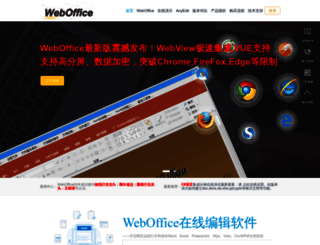
WebOffice控件是在线编辑Word、Excel、Powerpoint、Wps、Visio、Csv和Pdf的办公文档软件,可以网络远程打开、编辑和保存Word、Excel、Powerpoint、Wps、Visio等文档。
Visit officectrl.comWe analyzed Officectrl.com page load time and found that the first response time was 1 sec and then it took 9.1 sec to load all DOM resources and completely render a web page. This is a poor result, as 85% of websites can load faster.
officectrl.com performance score
name
value
score
weighting
Value4.1 s
22/100
10%
Value6.8 s
7/100
25%
Value14.8 s
1/100
10%
Value160 ms
94/100
30%
Value2.164
0/100
15%
Value4.8 s
79/100
10%
1044 ms
1012 ms
340 ms
981 ms
1708 ms
Our browser made a total of 78 requests to load all elements on the main page. We found that 56% of them (44 requests) were addressed to the original Officectrl.com, 44% (34 requests) were made to Officectrl-x-com.img.addlink.cn. The less responsive or slowest element that took the longest time to load (3.5 sec) relates to the external source Officectrl-x-com.img.addlink.cn.
Page size can be reduced by 151.8 kB (12%)
1.2 MB
1.1 MB
In fact, the total size of Officectrl.com main page is 1.2 MB. This result falls beyond the top 1M of websites and identifies a large and not optimized web page that may take ages to load. 25% of websites need less resources to load. Images take 761.1 kB which makes up the majority of the site volume.
Potential reduce by 22.0 kB
HTML content can be minified and compressed by a website’s server. The most efficient way is to compress content using GZIP which reduces data amount travelling through the network between server and browser. This page needs HTML code to be minified as it can gain 4.1 kB, which is 14% of the original size. It is highly recommended that content of this web page should be compressed using GZIP, as it can save up to 22.0 kB or 75% of the original size.
Potential reduce by 27.4 kB
Image size optimization can help to speed up a website loading time. The chart above shows the difference between the size before and after optimization. Office Ctrl images are well optimized though.
Potential reduce by 90.1 kB
It’s better to minify JavaScript in order to improve website performance. The diagram shows the current total size of all JavaScript files against the prospective JavaScript size after its minification and compression. It is highly recommended that all JavaScript files should be compressed and minified as it can save up to 90.1 kB or 23% of the original size.
Potential reduce by 12.4 kB
CSS files minification is very important to reduce a web page rendering time. The faster CSS files can load, the earlier a page can be rendered. Officectrl.com needs all CSS files to be minified and compressed as it can save up to 12.4 kB or 26% of the original size.
We found no issues to fix!
39
39
The browser has sent 39 CSS, Javascripts, AJAX and image requests in order to completely render the main page of Office Ctrl. According to our analytics all requests are already optimized.
officectrl.com
1044 ms
officectrl.com
1012 ms
1.css
340 ms
2.css
981 ms
1.js
1708 ms
2.js
773 ms
3.js
2002 ms
visits
690 ms
layer.css
452 ms
logo.png
235 ms
1@2x.png
392 ms
2@2x.png
235 ms
3@2x.png
233 ms
4@2x.png
392 ms
new3.gif
448 ms
video.jpg
448 ms
d_download.gif
449 ms
webax1.png
461 ms
adn.png
553 ms
logoall.png
668 ms
phone.png
672 ms
qq.png
674 ms
tryit.png
677 ms
officectrlmg.png
708 ms
officebbs.png
778 ms
h1.jpg
889 ms
h2.jpg
894 ms
h3.jpg
898 ms
h4.jpg
904 ms
h5.jpg
935 ms
webad1.jpg
960 ms
webad2.jpg
1072 ms
1.css
1189 ms
weblist@2x.png
1080 ms
a3@2x.png
1083 ms
a1@2x.png
1125 ms
a2@2x.png
1184 ms
bj@2x.jpg
1292 ms
t1@2x.png
1302 ms
t2@2x.png
1308 ms
t3@2x.png
1354 ms
t4@2x.png
1406 ms
t5@2x.png
1416 ms
quote.png
1517 ms
3@2x.png
1252 ms
logo.png
1572 ms
2@2x.png
1290 ms
1@2x.png
1138 ms
4@2x.png
1148 ms
new3.gif
1112 ms
video.jpg
1282 ms
d_download.gif
1324 ms
webax1.png
1317 ms
adn.png
1731 ms
logoall.png
1902 ms
phone.png
1307 ms
qq.png
1345 ms
tryit.png
1355 ms
officectrlmg.png
1344 ms
officebbs.png
1441 ms
h1.jpg
1377 ms
h2.jpg
1381 ms
h3.jpg
1398 ms
h4.jpg
1560 ms
h5.jpg
1576 ms
webad1.jpg
3475 ms
webad2.jpg
1420 ms
weblist@2x.png
2389 ms
a3@2x.png
1580 ms
a1@2x.png
1590 ms
a2@2x.png
1558 ms
bj@2x.jpg
1740 ms
t1@2x.png
1607 ms
t2@2x.png
1654 ms
t3@2x.png
1646 ms
t4@2x.png
1746 ms
t5@2x.png
1793 ms
quote.png
1733 ms
officectrl.com accessibility score
ARIA
These are opportunities to improve the usage of ARIA in your application which may enhance the experience for users of assistive technology, like a screen reader.
Impact
Issue
[aria-*] attributes do not match their roles
Contrast
These are opportunities to improve the legibility of your content.
Impact
Issue
Background and foreground colors do not have a sufficient contrast ratio.
Tables and lists
These are opportunities to improve the experience of reading tabular or list data using assistive technology, like a screen reader.
Impact
Issue
<dl>'s do not contain only properly-ordered <dt> and <dd> groups, <script>, <template> or <div> elements.
Navigation
These are opportunities to improve keyboard navigation in your application.
Impact
Issue
Heading elements are not in a sequentially-descending order
Internationalization and localization
These are opportunities to improve the interpretation of your content by users in different locales.
Impact
Issue
<html> element does not have a [lang] attribute
Names and labels
These are opportunities to improve the semantics of the controls in your application. This may enhance the experience for users of assistive technology, like a screen reader.
Impact
Issue
Image elements do not have [alt] attributes
Links do not have a discernible name
Best practices
These items highlight common accessibility best practices.
Impact
Issue
[user-scalable="no"] is used in the <meta name="viewport"> element or the [maximum-scale] attribute is less than 5.
officectrl.com best practices score
Trust and Safety
Impact
Issue
Does not use HTTPS
Includes front-end JavaScript libraries with known security vulnerabilities
Ensure CSP is effective against XSS attacks
User Experience
Impact
Issue
Serves images with low resolution
General
Impact
Issue
Detected JavaScript libraries
Browser errors were logged to the console
Missing source maps for large first-party JavaScript
officectrl.com SEO score
Crawling and Indexing
To appear in search results, crawlers need access to your app.
Impact
Issue
Links are not crawlable
Content Best Practices
Format your HTML in a way that enables crawlers to better understand your app’s content.
Impact
Issue
Image elements do not have [alt] attributes
Mobile Friendly
Make sure your pages are mobile friendly so users don’t have to pinch or zoom in order to read the content pages. [Learn more](https://developers.google.com/search/mobile-sites/).
Impact
Issue
Document uses legible font sizes
Tap targets are not sized appropriately
![]()
ZH
![]()
N/A
UTF-8
Language claimed in HTML meta tag should match the language actually used on the web page. Otherwise Officectrl.com can be misinterpreted by Google and other search engines. Our service has detected that Chinese is used on the page, and neither this language nor any other was claimed in <html> or <meta> tags. Our system also found out that Officectrl.com main page’s claimed encoding is utf-8. Use of this encoding format is the best practice as the main page visitors from all over the world won’t have any issues with symbol transcription.
officectrl.com
Open Graph description is not detected on the main page of Office Ctrl. Lack of Open Graph description can be counter-productive for their social media presence, as such a description allows converting a website homepage (or other pages) into good-looking, rich and well-structured posts, when it is being shared on Facebook and other social media. For example, adding the following code snippet into HTML <head> tag will help to represent this web page correctly in social networks: