Report Summary

  • 93

    Performance

    Renders faster than
    92% of other websites

  • 93

    Accessibility

    Visual factors better than
    that of 80% of websites

  • 75

    Best Practices

    More advanced features
    available than in
    35% of websites

  • 67

    SEO

    Google-friendlier than
    26% of websites

quickpdf.org

Foxit Quick PDF Library - 100% Royalty-Free PDF Developer SDK - Community Forum - QuickPDF.org

Page Load Speed

763 ms in total

First Response

187 ms

Resources Loaded

504 ms

Page Rendered

72 ms

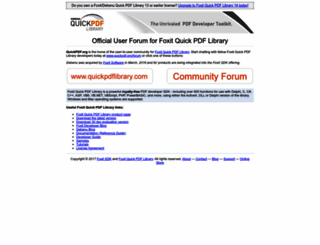
quickpdf.org screenshot

About Website

Visit quickpdf.org now to see the best up-to-date Quick PDF content for United States and also check out these interesting facts you probably never knew about quickpdf.org

Visit quickpdf.org

Key Findings

We analyzed Quickpdf.org page load time and found that the first response time was 187 ms and then it took 576 ms to load all DOM resources and completely render a web page. This is quite a good result, as only 10% of websites can load faster.

Performance Metrics

quickpdf.org performance score

93

Measured Metrics

name

value

score

weighting

FCP (First Contentful Paint)

Value1.0 s

100/100

10%

LCP (Largest Contentful Paint)

Value1.9 s

98/100

25%

SI (Speed Index)

Value1.0 s

100/100

10%

TBT (Total Blocking Time)

Value320 ms

77/100

30%

CLS (Cumulative Layout Shift)

Value0.027

100/100

15%

TTI (Time to Interactive)

Value1.9 s

100/100

10%

Network Requests Diagram

quickpdf.org

187 ms

style.css

81 ms

ga.js

9 ms

banner3.png

157 ms

website.png

234 ms

Our browser made a total of 7 requests to load all elements on the main page. We found that 71% of them (5 requests) were addressed to the original Quickpdf.org, 29% (2 requests) were made to Google-analytics.com. The less responsive or slowest element that took the longest time to load (234 ms) belongs to the original domain Quickpdf.org.

Page Optimization Overview & Recommendations

Page size can be reduced by 3.3 kB (8%)

Content Size

42.0 kB

After Optimization

38.6 kB

In fact, the total size of Quickpdf.org main page is 42.0 kB. This result falls beyond the top 1M of websites and identifies a large and not optimized web page that may take ages to load. Only 10% of websites need less resources to load. Images take 19.7 kB which makes up the majority of the site volume.

HTML Optimization

-64%

Potential reduce by 2.9 kB

  • Original 4.6 kB
  • After minification 4.5 kB
  • After compression 1.7 kB

HTML content can be minified and compressed by a website’s server. The most efficient way is to compress content using GZIP which reduces data amount travelling through the network between server and browser. HTML code on this page is well minified. It is highly recommended that content of this web page should be compressed using GZIP, as it can save up to 2.9 kB or 64% of the original size.

Image Optimization

-1%

Potential reduce by 182 B

  • Original 19.7 kB
  • After minification 19.6 kB

Image size optimization can help to speed up a website loading time. The chart above shows the difference between the size before and after optimization. Quick PDF images are well optimized though.

JavaScript Optimization

-0%

Potential reduce by 34 B

  • Original 17.2 kB
  • After minification 17.2 kB
  • After compression 17.1 kB

It’s better to minify JavaScript in order to improve website performance. The diagram shows the current total size of all JavaScript files against the prospective JavaScript size after its minification and compression. This website has mostly compressed JavaScripts.

CSS Optimization

-42%

Potential reduce by 183 B

  • Original 438 B
  • After minification 421 B
  • After compression 255 B

CSS files minification is very important to reduce a web page rendering time. The faster CSS files can load, the earlier a page can be rendered. Quickpdf.org needs all CSS files to be minified and compressed as it can save up to 183 B or 42% of the original size.

Requests Breakdown

We found no issues to fix!

Requests Now

6

After Optimization

6

The browser has sent 6 CSS, Javascripts, AJAX and image requests in order to completely render the main page of Quick PDF. According to our analytics all requests are already optimized.

Accessibility Review

quickpdf.org accessibility score

93

Accessibility Issues

Internationalization and localization

These are opportunities to improve the interpretation of your content by users in different locales.

Impact

Issue

High

<html> element does not have a [lang] attribute

Best Practices

quickpdf.org best practices score

75

Areas of Improvement

Trust and Safety

Impact

Issue

High

Does not use HTTPS

Low

Ensure CSP is effective against XSS attacks

User Experience

Impact

Issue

High

Serves images with low resolution

SEO Factors

quickpdf.org SEO score

67

Search Engine Optimization Advices

Language and Encoding

  • Language Detected

    EN

  • Language Claimed

    N/A

  • Encoding

    ISO-8859-1

Language claimed in HTML meta tag should match the language actually used on the web page. Otherwise Quickpdf.org can be misinterpreted by Google and other search engines. Our service has detected that English is used on the page, and neither this language nor any other was claimed in <html> or <meta> tags. Our system also found out that Quickpdf.org main page’s claimed encoding is iso-8859-1. Changing it to UTF-8 can be a good choice, as this format is commonly used for encoding all over the web and thus their visitors won’t have any troubles with symbol transcription or reading.

Social Sharing Optimization

Open Graph description is not detected on the main page of Quick PDF. Lack of Open Graph description can be counter-productive for their social media presence, as such a description allows converting a website homepage (or other pages) into good-looking, rich and well-structured posts, when it is being shared on Facebook and other social media. For example, adding the following code snippet into HTML <head> tag will help to represent this web page correctly in social networks: