5.6 sec in total
805 ms
4.5 sec
321 ms
Click here to check amazing Dreamwork content. Otherwise, check out these important facts you probably never knew about dreamwork.cn
成都梦工厂网络信息有限公司(简称:成都梦工厂)成立于2002年12月,西南地区最大的游戏研发与运营企业。2009年6月,博瑞传播出资4.41亿元成功入主成都梦工厂,成都梦工厂成为多种盈利模式并存的互联网娱乐文化公司,倾力打造各类优秀的网游产品,并进一步为用户提供细致入微的娱乐体验。
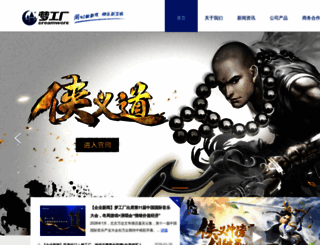
Visit dreamwork.cnWe analyzed Dreamwork.cn page load time and found that the first response time was 805 ms and then it took 4.8 sec to load all DOM resources and completely render a web page. This is a poor result, as 70% of websites can load faster.
dreamwork.cn performance score
name
value
score
weighting
Value1.0 s
100/100
10%
Value8.3 s
2/100
25%
Value6.8 s
35/100
10%
Value150 ms
94/100
30%
Value0.001
100/100
15%
Value5.9 s
65/100
10%
805 ms
271 ms
485 ms
803 ms
538 ms
Our browser made a total of 41 requests to load all elements on the main page. We found that all of those requests were addressed to Dreamwork.cn and no external sources were called. The less responsive or slowest element that took the longest time to load (2.3 sec) belongs to the original domain Dreamwork.cn.
Page size can be reduced by 73.6 kB (5%)
1.5 MB
1.4 MB
In fact, the total size of Dreamwork.cn main page is 1.5 MB. This result falls beyond the top 1M of websites and identifies a large and not optimized web page that may take ages to load. 45% of websites need less resources to load. Images take 1.4 MB which makes up the majority of the site volume.
Potential reduce by 21.2 kB
HTML content can be minified and compressed by a website’s server. The most efficient way is to compress content using GZIP which reduces data amount travelling through the network between server and browser. This page needs HTML code to be minified as it can gain 3.5 kB, which is 14% of the original size. It is highly recommended that content of this web page should be compressed using GZIP, as it can save up to 21.2 kB or 84% of the original size.
Potential reduce by 35.1 kB
Image size optimization can help to speed up a website loading time. The chart above shows the difference between the size before and after optimization. Dreamwork images are well optimized though.
Potential reduce by 14.7 kB
It’s better to minify JavaScript in order to improve website performance. The diagram shows the current total size of all JavaScript files against the prospective JavaScript size after its minification and compression. It is highly recommended that all JavaScript files should be compressed and minified as it can save up to 14.7 kB or 19% of the original size.
Potential reduce by 2.6 kB
CSS files minification is very important to reduce a web page rendering time. The faster CSS files can load, the earlier a page can be rendered. Dreamwork.cn needs all CSS files to be minified and compressed as it can save up to 2.6 kB or 25% of the original size.
Number of requests can be reduced by 4 (10%)
40
36
The browser has sent 40 CSS, Javascripts, AJAX and image requests in order to completely render the main page of Dreamwork. We recommend that multiple CSS and JavaScript files should be merged into one by each type, as it can help reduce assets requests from 5 to 1 for JavaScripts and as a result speed up the page load time.
dreamwork.cn
805 ms
swiper-4.1.6.min.css
271 ms
main.css
485 ms
jquery-1.10.1.min.js
803 ms
compatible.js
538 ms
swiper-4.1.6.min.js
814 ms
qx.js
539 ms
main.js
561 ms
3.png
1687 ms
productC_img_1.jpg
1073 ms
productC_img_2.jpg
1076 ms
productC_img_5.jpg
1120 ms
productC_img_3.jpg
1070 ms
productC_img_4.jpg
1080 ms
cp_conBg_fd.jpg
1337 ms
logo.jpg
857 ms
slider_top_1.jpg
1935 ms
prev_top.png
865 ms
next_top.png
914 ms
newBox_img.jpg
1118 ms
news_more.png
1125 ms
newSlider_1.jpg
1673 ms
play.png
1195 ms
pc_game.jpg
1386 ms
phone_game.jpg
1395 ms
prev_product.png
1474 ms
next_product.png
1441 ms
cp_conBg.jpg
1918 ms
con_conImg.jpg
2199 ms
aLink_cop.png
1682 ms
aLink_join.png
1755 ms
aLink_con.png
1943 ms
aLink_bray.png
1924 ms
aLink_1732.png
2034 ms
icon2.png
2185 ms
icon1.png
2164 ms
icon3.png
2202 ms
sub.png
2212 ms
cul.png
2274 ms
ab_topBan.jpg
2265 ms
ab_topBan2.jpg
538 ms
dreamwork.cn accessibility score
Contrast
These are opportunities to improve the legibility of your content.
Impact
Issue
Background and foreground colors do not have a sufficient contrast ratio.
Navigation
These are opportunities to improve keyboard navigation in your application.
Impact
Issue
Heading elements are not in a sequentially-descending order
Internationalization and localization
These are opportunities to improve the interpretation of your content by users in different locales.
Impact
Issue
<html> element does not have a [lang] attribute
Names and labels
These are opportunities to improve the semantics of the controls in your application. This may enhance the experience for users of assistive technology, like a screen reader.
Impact
Issue
Links do not have a discernible name
dreamwork.cn best practices score
Trust and Safety
Impact
Issue
Does not use HTTPS
Ensure CSP is effective against XSS attacks
User Experience
Impact
Issue
Displays images with incorrect aspect ratio
Serves images with low resolution
General
Impact
Issue
Detected JavaScript libraries
Browser errors were logged to the console
Issues were logged in the Issues panel in Chrome Devtools
dreamwork.cn SEO score
Crawling and Indexing
To appear in search results, crawlers need access to your app.
Impact
Issue
Links are not crawlable
![]()
ZH
![]()
N/A
GB2312
Language claimed in HTML meta tag should match the language actually used on the web page. Otherwise Dreamwork.cn can be misinterpreted by Google and other search engines. Our service has detected that Chinese is used on the page, and neither this language nor any other was claimed in <html> or <meta> tags. Our system also found out that Dreamwork.cn main page’s claimed encoding is gb2312. Changing it to UTF-8 can be a good choice, as this format is commonly used for encoding all over the web and thus their visitors won’t have any troubles with symbol transcription or reading.
dreamwork.cn
Open Graph description is not detected on the main page of Dreamwork. Lack of Open Graph description can be counter-productive for their social media presence, as such a description allows converting a website homepage (or other pages) into good-looking, rich and well-structured posts, when it is being shared on Facebook and other social media. For example, adding the following code snippet into HTML <head> tag will help to represent this web page correctly in social networks: